Inventory Management Software: A Complete Guide for Small Businesses
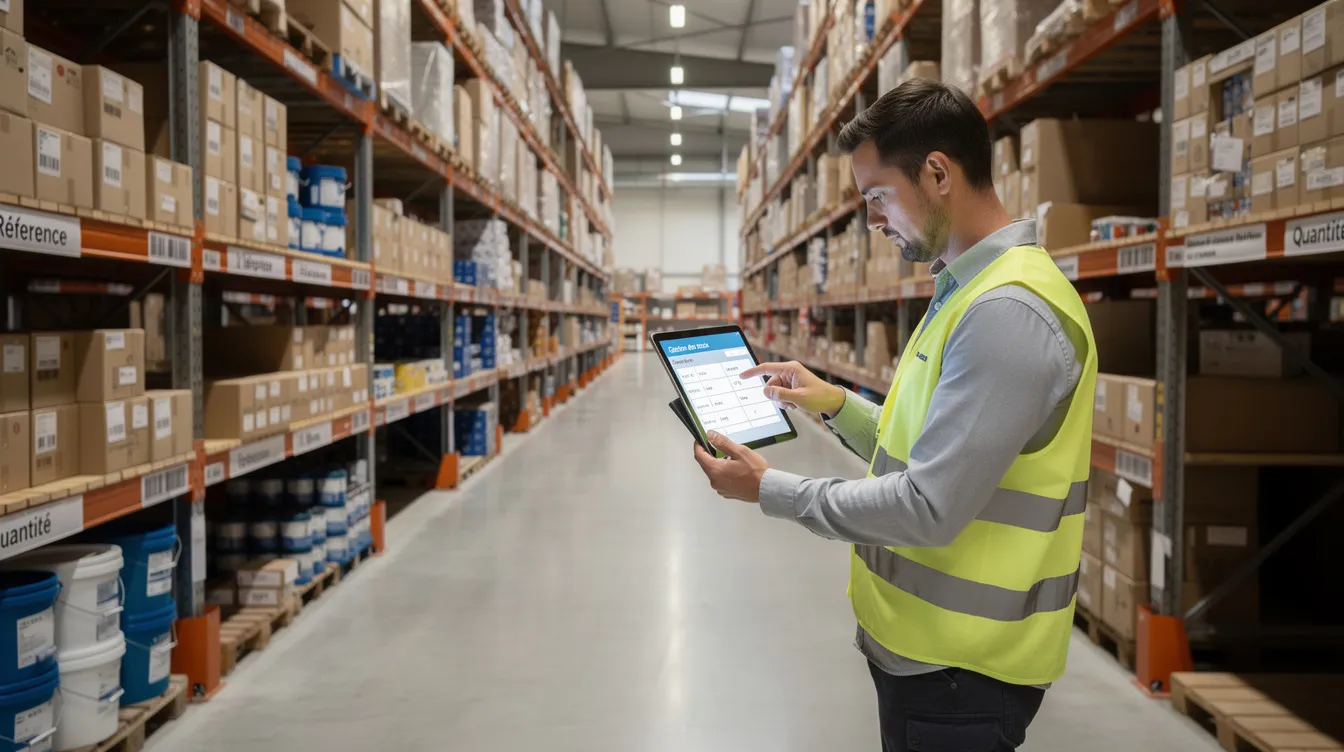
Stock-outs, overstock, inventory discrepancies: stock management weighs heavily on the daily work of small and medium-sized business owners. Inventory management software records the flow of goods in real time, automates alerts and centralizes data, where a spreadsheet or a paper notebook quickly reach their limits as the business grows.
This guide is for business leaders in Morocco and abroad who want to understand what such a tool can change in practice: key features, benefits, the choice between off-the-shelf and custom software, and the steps to a successful project.
What is inventory management software?
Inventory management covers tracking, controlling and optimizing the quantities of goods a business holds. It has an operational side (receipts, issues, transfers, daily storage) and a strategic side (tied-up cash, customer service, purchasing policy).
Inventory management software records every receipt, issue, transfer, stock count and stock level in real time. A spreadsheet only gives a frozen snapshot that is often out of date.
Some of the businesses concerned:
- Retailers with many items, some fast-moving and others almost dormant.
- Store networks with a central warehouse, transfers between sites and an online shop to keep in sync.
- Equipment rental: tracking the availability of assets by period, returns, condition and maintenance.
The software can be dedicated to inventory or built into a broader tool (ERP, e-commerce platform), depending on the size and maturity of the business.
The benefits of inventory management software for an SME
Moving from manual methods to a dedicated tool brings concrete benefits:
- Fewer data-entry errors: counts, receipts and transfers are recorded in a structured way, and recurring tasks (goods receipts, transfers, alerts) are automated.
- Better cash control: more accurate stock levels, less dormant stock and purchases planned from reliable data.
- Fewer stock-outs: real-time tracking helps you anticipate, especially for fast-moving or seasonal products.
- Better-served customers: reliable product availability and better-organized deliveries build trust.
- Better management: reports by warehouse, product family or margin support informed decisions.
Essential features of inventory management software
A tool suited to small and medium-sized businesses should cover the following:
- Complete item records: unique reference, variants (size, colour, model), unit of measure, purchase and selling price, images.
- Location management: zones, shelves, bins, to locate every item in the warehouse.
- Receipts and issues: goods receipts, delivery notes, returns and documented adjustments.
- Stock counts: cycle counts or annual counts that are easy to carry out.
- Lot or serial-number traceability: useful for perishable products or spare parts, for example.
- Alert thresholds and replenishment: low-stock alerts and supplier order suggestions.
- Order tracking: movement history, customer and supplier orders.
- Multi-warehouse and multichannel: visibility by site, transfers between sites, sync between stores and the e-commerce site.
- Analytics and reporting: dashboards to manage operations and costs.
- Barcodes and integrations: scanning with a scanner or smartphone, connection to accounting, CRM, ERP or the online shop.
How does inventory management software work in practice?
Here is the typical workflow in an SME:
- Creating item records: description, category, barcode, prices, unit of measure, images. Importing from an existing file often speeds up the setup.
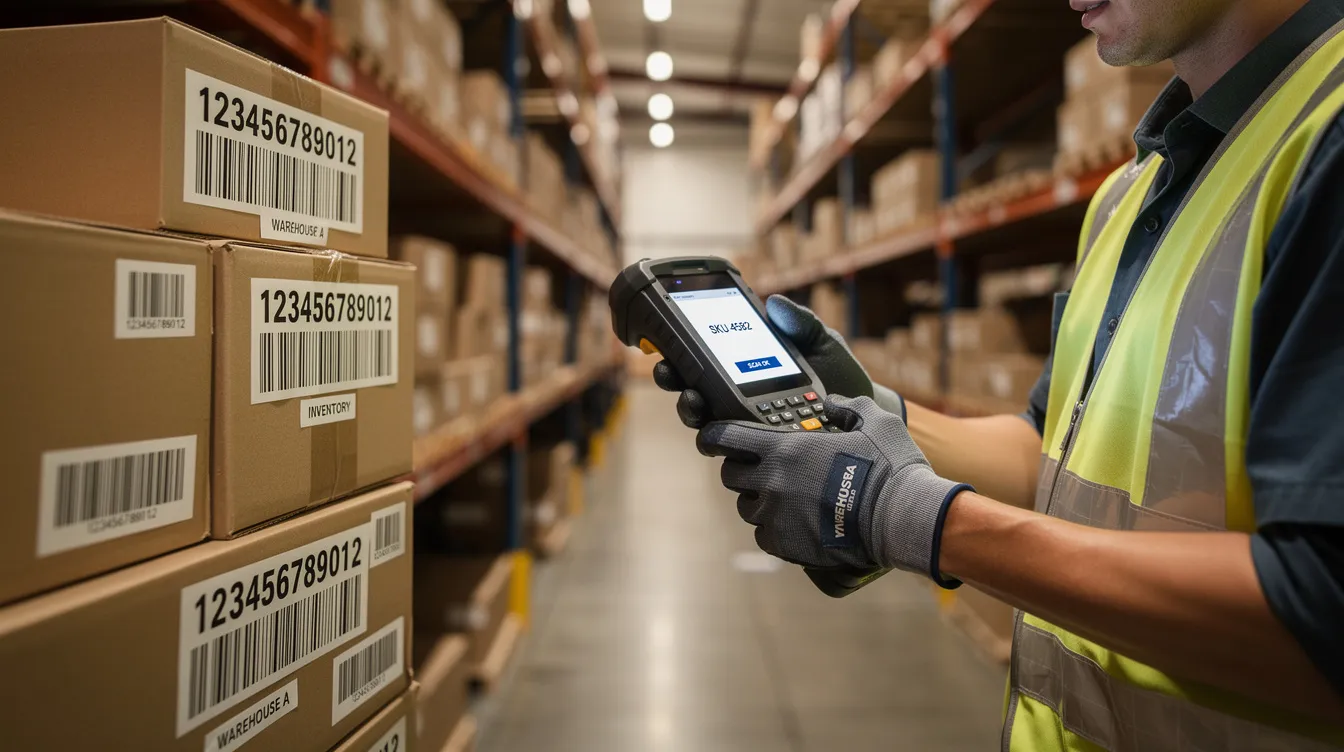
- Labelling: the software generates or assigns barcodes, and labels are printed and stuck on the products. Scanning with a scanner or smartphone limits data-entry errors.
- Receiving: the operator scans the items, compares quantities with the purchase order, records discrepancies and validates. Lot numbers or expiry dates are entered at this stage.
- Storage and transfers: each item is assigned a location, and transfers between zones or warehouses are documented.
- Picking and issuing: order picking is guided, delivery notes are generated and stock levels update with every issue.
- Counts and checks: cycle counts regularly check zones or product families without stopping operations. Adjustments are logged: who did what, when and why.
Traceability, barcodes and mobility
Barcodes and QR codes make every movement more reliable: scanning with a scanner or smartphone speeds up receiving, picking and returns.
- Mobile apps: on iOS or Android smartphones, field teams scan during receiving, picking and stock counts, right in the aisles.
- Lot or serial traceability: it makes it easier to track expiry dates and handle any product recalls.
- Full history: every action is recorded with the operator, the date and the source and destination locations. These logs are valuable in case of an inspection or a dispute with a customer or supplier.
Replenishment and alerts: avoiding stock-outs and overstock
Good configuration relies on three concepts:
- Minimum stock: the quantity below which it becomes risky to go.
- Safety stock: the buffer that offsets supplier delays or demand peaks.
- Reorder point: the threshold that triggers the alert or the order suggestion.
Low-stock alerts arrive by email, mobile notification or on the dashboard. The system can suggest supplier orders at the right time. Linking these rules to sales forecasts (history, seasonality, promotions) refines decisions further: this is the field of predictive analytics for business.
Example: a business that suffers stock-outs during its seasonal demand peaks can set thresholds adapted to that seasonality so it places its orders on time.
Multi-warehouse management: one view of all your stock
Many businesses have several depots, stores or showrooms. This spread complicates logistics and increases the risk of inconsistent data.
Multi-warehouse software gives real-time visibility of quantities by site and by location:
- Documented transfers between warehouses, with tracking of stock in transit.
- Reservation by site: an order can reserve stock in a specific warehouse, or ship from the site closest to the customer.
- Alerts by warehouse: each site has its own thresholds, because demand varies by location.
The logistics manager can see the quantities available in every store on a single screen and decide on transfers.
Off-the-shelf or custom software: how to choose?
There are several broad families of solutions, each with its advantages and limits.
Open-source software
It gives access to the code and allows extensive customization, without high licence fees. On the other hand, it requires in-house technical skills or a provider for installation, configuration, security and updates. Hosting, maintenance and training need to be planned for.
Standard SaaS software
It is quick to set up, with a predictable subscription and automatic updates. But configuration remains limited, and depending on the vendor can become a problem if the local context (language, currency, taxation) is poorly covered.
Custom software
It is often the best option when business processes are specific: rental, technical trading, complex multi-warehouse operations. The initial investment is higher, but the tool fits the way you work. To learn more, read our article on custom software.
The limits of spreadsheets and manual methods
A spreadsheet has its strengths: it is flexible and familiar to everyone. For a very small business with few items and a single point of sale, it can do the job for a while. But the limits appear quickly:
- No real time: as soon as there are several users, versions of the file diverge.
- Hard to work together: concurrent edits, irregular backups, data loss.
- Human errors: copy-paste mistakes, deleted formulas, swapped columns.
- No traceability: impossible to know who changed what, and when.
As soon as there are several users, several sites or a large number of items, dedicated inventory software or an ERP module becomes necessary.
Checklist for choosing your inventory management software
| Criterion | Questions to ask |
|---|---|
| Type of business | Retail, manufacturing, rental? How many items and movements? |
| Sites and warehouses | How many stores, depots, points of sale? Need for multi-warehouse? |
| Users | How many people and which roles (manager, operator, accountant)? Need for mobility? |
| Traceability | Lot, serial number, expiry date? |
| Integrations | Accounting, CRM, existing ERP, online shop, delivery solution? |
| Usability | Is the interface simple for teams? Which languages (French, Arabic, English)? |
| Total cost | Licence or subscription, hosting, maintenance, training, data migration? |
| Support | How is support provided, and how responsive is it? |
| Scalability | Will the tool keep up with the business's growth? |
Inventory software or ERP: when to move to an integrated solution?
The difference is integration: an ERP brings purchasing, sales, production, finance and inventory together in a single system. Inventory becomes one module among others.
Signs that it is time to move to an integrated solution:
- Isolated tools (spreadsheet, till, online shop) with duplicate data entry.
- Contradictory data between sales, purchasing and accounting.
- Increasingly complex flows: several entities, production, rental, maintenance.
- A need for consolidated reports combining costs, margins and indicators.
To go further, see our guide to ERP software for SMEs.
Typical use cases: retail, light manufacturing and rental
Retail
A store network manages stock by store with replenishment from the central warehouse. The software syncs in-store and online sales and triggers supplier orders as soon as thresholds are reached. Priority modules: multi-warehouse, cycle counts, integration with the e-commerce website.
Light manufacturing and workshops
Tracking covers raw materials, components and finished goods, with a link between production orders and stock levels. Priority modules: lot or serial traceability, consumption reports.
Rental businesses
Rented assets are a special kind of stock: you need to track availability by period, manage bookings, check condition on return and plan maintenance. Priority modules: resource planning, returns management, usage history.

How UnzipTech supports your inventory management project
UNZIPTECH SARL, with its office in Fès, works with small, medium-sized and large businesses in Morocco and abroad. For an inventory management project, several services can come into play:
- Custom software: ERP, CRM and business tools, including inventory modules adapted to your processes.
- Artificial intelligence: integration of AI models, intelligent process automation and predictive analytics.
- Web development and mobile apps: e-commerce sites, web applications and iOS/Android apps.
- IT & Digital consulting: audit, digital strategy and digital transformation.
The method follows four steps:
- Listening and needs analysis: understanding your flows, constraints and priorities.
- Design and mock-up validation: you approve the tool before it is developed.
- Agile development with regular check-ins: adjustments along the way.
- Delivery, training and follow-up: team training and user documentation with every delivery, plus maintenance and support contracts.
Payment is usually split into several phases, and UnzipTech provides a free personalized quote after analyzing your needs.
Steps to a successful inventory software project
- Current-state review: describe your current processes (physical flows, documents, roles, pain points).
- Defining the need: separate essential features from future improvements and list the integrations required.
- Choosing the solution: compare off-the-shelf and custom options against the checklist, testing with your real data.
- Configuration or development: migrating item records and existing stock, connecting other systems, setting thresholds and alerts.
- Testing, training and go-live: support the teams and fine-tune settings after the first feedback from the field.
A well-managed project makes the difference between a tool the teams adopt and a tool they abandon.
Frequently asked questions about inventory management software
When should you stop using a spreadsheet?
As soon as there are several users, several sites or a large number of items, a spreadsheet no longer allows real-time tracking or reliable traceability.
Inventory software or ERP: which to choose?
Dedicated inventory software is enough if your needs focus on stock. An ERP becomes relevant when purchasing, sales, production and accounting need to share the same data.
Is custom software suitable for an SME?
Yes, when your processes are specific or when no off-the-shelf solution integrates well with your existing tools. The tool is then designed around the way you work.
How do I get a quote for inventory management software?
UnzipTech provides a free personalized quote after analyzing your needs.
Take action
Reliable stock, controlled cash flow, better-served customers: the stakes are too high to keep using manual methods once the business grows or operates on several sites. Whether you choose an off-the-shelf or a custom solution, the first step is the same: understanding your real needs.