

Field service management software helps small businesses, SMEs and organisations that send technicians into the field (maintenance, installation, repairs, after-sales service) organise every job, from the customer's request to invoicing. In Morocco and internationally, many teams still rely on spreadsheet schedules, scattered messages and paper job sheets: information gets fragmented and follow-up becomes difficult.
This guide explains what field service management software is, its key features, how to choose between an off-the-shelf solution and custom software, and how to roll it out successfully. It complements our guide to ERP software for SMEs, because field tools and ERP work best together.
What is field service management?
Field service management means organising field operations end to end: receiving the request, scheduling, carrying out the job, reporting, invoicing and quality follow-up.
Jobs can vary widely: scheduled preventive maintenance, urgent repairs, equipment installation, inspection visits or after-sales service across several sites. Each one involves several people: customer service receiving the request, the planner assigning tasks, the technicians on site, the operations manager supervising and accounting issuing the invoice.
Without a dedicated tool, problems pile up: delays, duplicate requests, information lost between the field and the office, disputes over time spent or materials used, and management lacking visibility.
What is field service management software?
It is business software designed to run all field operations, going well beyond a shared calendar. It covers the full job cycle: request, qualification, scheduling, execution, report, invoicing and analysis.
It usually has three components:
- a web back office used by the office to plan and supervise;
- a mobile app used by technicians in the field;
- a central database holding customers, equipment, jobs and their history.
Key features of field service management software
- Request management: requests received by phone, email or web portal in one place, qualified by type, urgency and location, with the full exchange history.
- Scheduling: assigning the right technician based on skills, availability, area and urgency.
- Work orders and checklists: description, required parts, technical documents, safety instructions and steps to follow on site.
- Field mobile app: daily schedule, job sheets, before-and-after photos, customer signature, time spent and parts used.
- Link to invoicing: time and materials sent back to the office to prepare the invoice without re-entry.
- Stock and equipment: spare-part tracking, reservations for upcoming jobs, restocking alerts.
- Reports and dashboards: job reports sent to the customer, indicators by technician, area or job type.
These building blocks should adapt to each company's trade and vocabulary.
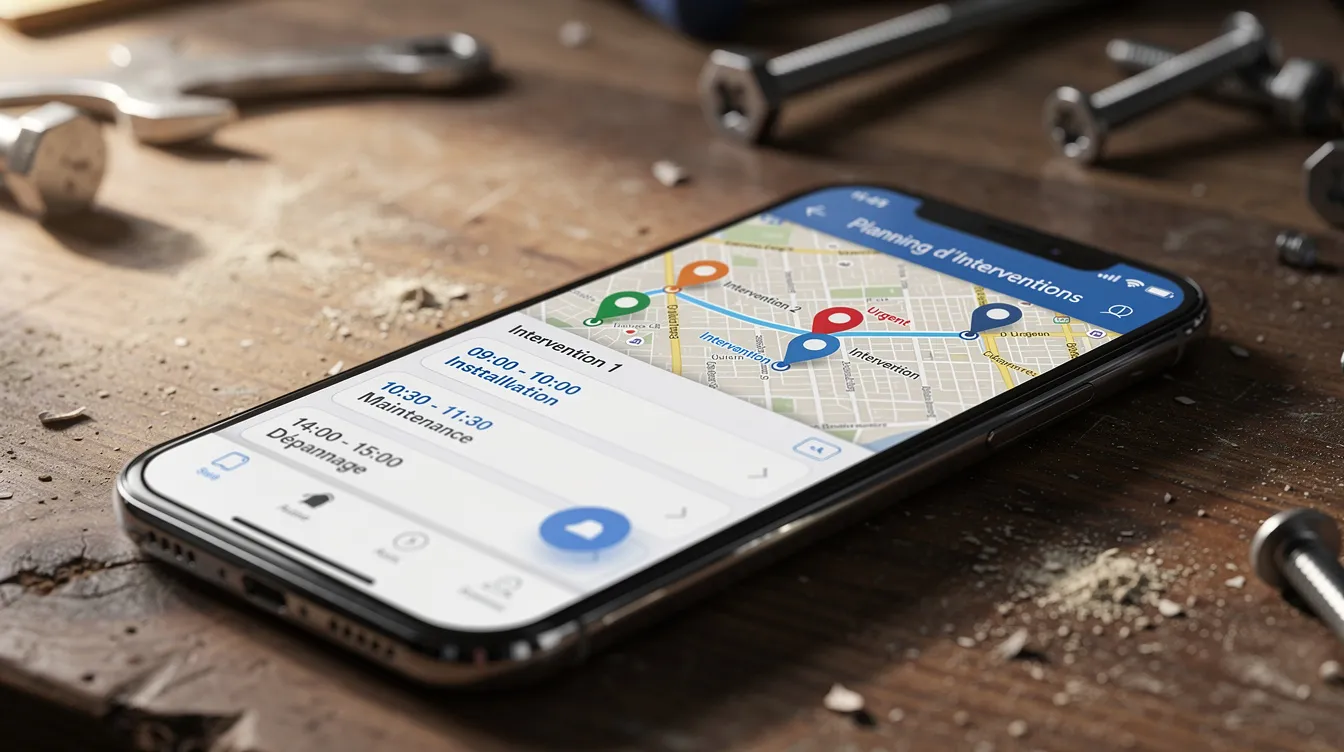
Examples of a digital job workflow
Here are two typical scenarios showing how such a tool works:
- Repair call: a customer reports a breakdown. Customer service creates the request in the software, the planner picks an available technician, who receives the work order in the mobile app with the address and site history. On site, the technician logs time, takes photos and gets the customer's signature: the report is ready for invoicing.
- Preventive maintenance: inspection visits are scheduled in advance. Rounds are organised by area, parts are reserved in stock and inspection forms are prepared. The customer receives a consolidated report at the end of the round.
Benefits for your business and your customers
- Smoother organisation: simpler scheduling, direct communication between office and field, less re-entry.
- Better customer follow-up: up-to-date information on every job and reports sent after each visit.
- Traceability: signatures, photos and job history per piece of equipment make disagreements easier to resolve.
- Visibility for management: dashboards to track activity and spot areas for improvement.
- Easier work for technicians: complete information before travelling and a mobile tool suited to their daily work.
Off-the-shelf or custom software: how to choose?
| Criterion | Off-the-shelf solution | Custom software |
|---|---|---|
| Implementation | Predefined scope | In-depth scoping, progressive development |
| Fit with your trade | Limited to available settings | Adapted vocabulary, workflows and forms |
| Integration with existing systems | Connectors depending on the tool | Connectors and APIs built for your tools |
| Scalability | Depends on the vendor's roadmap | At the company's own pace |
| Internal processes | Generic approach | Approach specific to your business |
A custom project requires scoping time and the involvement of key users. To explore this choice further, read our article on custom software.
Integration with ERP, CRM and invoicing
Field service management software should not stand alone. Connected to your ERP, it can share customers, contracts and items and send billable jobs back. If you already have an ERP, connecting the two systems is often more sensible than replacing everything.
- CRM: contact history and a full view of each customer for sales and customer service.
- Invoicing and accounting: export of invoice lines and fewer manual entries.
- Other tools: team scheduling, project management software or booking tools, connected via API.
Mobile app for technicians: a cornerstone of the system
The mobile app is the technicians' everyday tool: it determines whether the software is really adopted in the field.
- Key uses: daily schedule, job details, technical documents, calling the customer, directions to the site.
- On-site entry: time spent, parts used, photos, comments, inspection forms and customer signature.
- Field constraints: plan an offline mode if teams work in areas with poor coverage, a clear and simple interface, and forms in the languages your teams need.
- Security: user accounts with access rights and secure exchanges with the server.
UnzipTech builds native or cross-platform iOS and Android mobile apps that can be integrated into this kind of solution.

Steps to roll out field service management software
- Scoping your needs: current problems, goals, functional scope and existing systems, written up in a requirements document.
- Involving the business: workshops with customer service, planners, technicians and management.
- Design and validation: mock-ups of the main screens (schedule, job sheet, mobile app) validated by users.
- Development and gradual rollout: a pilot with one team, feedback, fixes, then wider rollout.
- Training and support: training tailored to each profile, simple documentation and internal champions.
UnzipTech's project approach follows these principles: listening and needs analysis, design and validation of mock-ups, iterative development with regular check-ins, then delivery, training and follow-up.
UnzipTech's role in your project
UNZIPTECH SARL, based in Fès, supports small businesses, SMEs and large companies in Morocco and internationally with custom software (ERP, CRM, business tools), web applications and mobile apps.
- Project types: custom field service management software, extending an existing tool, a mobile app for technicians.
- After delivery: maintenance and support contracts.
- Terms: a free tailored quote after analysing your needs, with payment generally split into several phases.
Explore our services or get in touch through the contact page.
Checklist to prepare your project
- ☐ Have you listed your job types (preventive, corrective, installation, after-sales)?
- ☐ Are your processes described from the customer request to invoicing?
- ☐ Which features are priorities: scheduling, mobile app, invoicing, stock, customer portal, dashboards?
- ☐ Is the project team identified (sponsor, field champions, scheduling lead)?
- ☐ Which existing tools need connecting (ERP, CRM, accounting)?
- ☐ Are your security and hosting requirements defined?
- ☐ Is there a training and internal communication plan?
FAQ about field service management software
Is field service management software only for large companies?
No. A small business or SME with a few technicians can also gain in organisation and customer follow-up. The solution simply needs to be sized to the activity and job volume.
Is it hard for technicians to learn?
A simple interface and targeted training make adoption easier. Involving technicians from the testing phase helps adapt the tool to their reality.
Can the mobile app work without a permanent connection?
Yes, if an offline mode is planned from the design stage: data entered syncs once the network is back.
My ERP handles field work poorly: do I need to replace everything?
Not necessarily. It is often better to develop a module or field service management software connected to the existing ERP via API rather than replace the whole system.
How do I know whether I need off-the-shelf or custom software?
Assess how specific your trade is, the number of field teams, the complexity of integrations and your need to evolve. If no off-the-shelf solution covers your processes without major compromise, custom software becomes relevant.