

A client extranet opens part of your information system to your customers in a controlled way: invoices, contracts, orders, support requests or project follow-up. For a small business, an SME or a larger organisation, it replaces scattered exchanges by email, phone or uncontrolled shared files with a single, secure space that customers reach from a browser.
Customers view their documents, submit a request or follow a file's progress without waiting for someone to send it. A showcase website presents the company to the public; a client extranet gives identified users access to a private, collaborative space. Technically, it is a web application: our guide to web application development covers the overall approach. This guide focuses on the uses, features, security, integrations and steps of a client extranet project.
What is a client extranet?
A client extranet is a secure web portal that centralises documents and information for external users. Access is through a browser, after authentication. What sets it apart from a simple customer account is the type of interaction:
- A simple customer account is often limited to viewing: invoices, order history, account details.
- A client extranet supports two-way exchanges: uploading documents, approval workflows, comments on deliverables and tracked support requests.
Some examples of use:
- viewing quotes and approving an order online;
- downloading contracts and uploading supporting documents;
- creating a support request with attachments and history;
- following a project's progress and deliverables.
Intranet, extranet, internet: telling the scopes apart
- Internet: the public network. Your website and blog are visible to everyone.
- Intranet: an environment reserved for the company's staff (procedures, internal resources, knowledge base). To learn more, read our guide to the business intranet.
- Extranet: a controlled extension open to external users (customers, suppliers, partners), with rights defined by profile.
Opening the intranet directly to customers would expose internal information and make rights harder to separate. An extranet keeps the environments apart.
The main uses of a client extranet
- Invoices, contracts and history: customers access their documents without asking for copies, which cuts repetitive requests.
- Requests and tickets: each request is tracked, commented on and supported by attachments; the customer sees its status.
- Project follow-up: schedule, milestones, deliverables and approvals gathered in one shared space.
- Orders and files: customers follow the status of their files and complete missing information.
By reducing back-and-forth, a client extranet makes customers more autonomous and clarifies the relationship between your teams and your customers.

Essential features
| Feature | What it provides | Points to clarify |
|---|---|---|
| Accounts and profiles | Invitations, password reset, roles | Who creates accounts? Can a customer manage sub-users? |
| Document management | Uploading and downloading invoices, contracts, reports | Versions, filing, restriction by folder |
| Request tracking | Form, categories, priorities, attachments | Notifications at each status change |
| Order or file tracking | Clear statuses, information to complete | Source of statuses (CRM, ERP, internal entry) |
| Personalisation | Logo, colours, dashboard per profile | Different content for each type of user |
| Search and export | Search across documents or tickets, export | Formats useful to your customers and your accounting |
One principle guides everything: each customer only sees what concerns them.
Access rights and security
Security determines how much your customers will trust the portal. It relies on several layers:
- Role-based rights: an administrator on the customer side, a manager on the company side, a standard user who views their own files. Apply the principle of least privilege.
- Authentication: strong passwords, time-limited sessions, lockout after several failed attempts and, for sensitive operations, two-factor authentication.
- Encryption: HTTPS exchanges and protection of stored sensitive data.
- Traceability: connection and activity logs to spot suspicious access.
- Good hygiene: separate development, test and production environments, regular access reviews, deactivation of inactive accounts and backups.
Also check which personal-data protection obligations apply to your business and your customers.
Integration with CRM, ERP and business tools
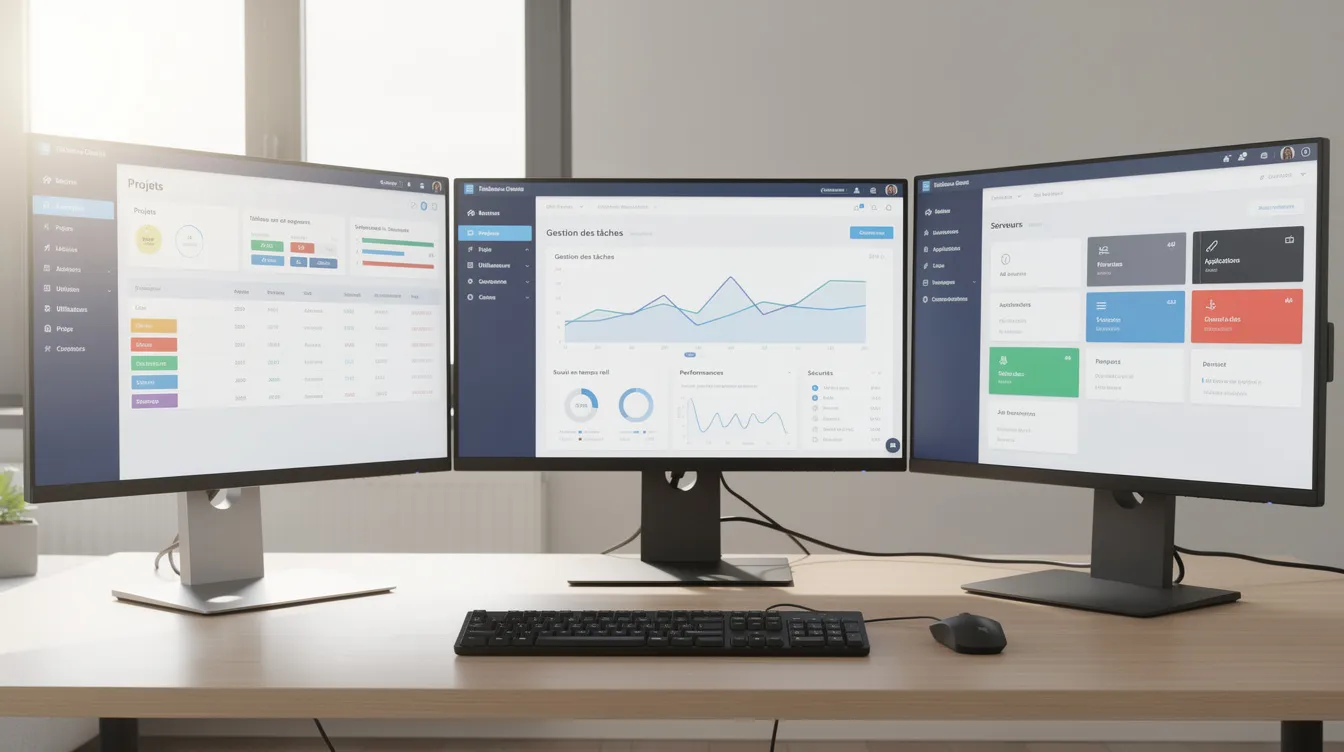
An extranet cut off from the rest of the information system loses much of its value. The aim is to avoid double entry and keep data consistent:
- CRM: the extranet displays the customer profile, requests and quotes from your custom CRM or current tool.
- ERP or invoicing: orders, payments and invoices flow between the portal and the business software; an order approved online goes straight into the internal workflow.
- APIs and connectors: they synchronise systems in real time or at regular intervals.
Off-the-shelf solution or custom development?
- Off-the-shelf solution: faster set-up, subscription, updates handled by the vendor. Common limits: restricted personalisation, workflows that are too generic, partial integration with your tools.
- Custom development: the application follows your processes, integrates closely with your CRM, ERP or invoicing, uses your brand identity and can grow with new modules.
Criteria that guide the choice:
- the number and types of users to manage;
- the complexity of workflows (multi-level approvals, document uploads);
- your security requirements;
- your existing architecture (CRM, ERP, databases).
Unziptech, based in Fès, designs web applications and custom software for small businesses, SMEs and large companies in Morocco and internationally. Explore our services.
The steps of a client extranet project
At Unziptech, a project follows four steps:
- Listening and needs analysis: workshops with sales, support, finance and IT teams; identifying user profiles; prioritising the uses to handle first.
- Design and validation of mockups: dashboard, invoice list, request view, document area; journeys validated before development.
- Agile development with regular check-ins: demos to business teams and adjustments at each iteration.
- Delivery, training and follow-up: training internal teams, gradual opening to customers, collecting feedback to prioritise improvements.
A free custom quote is provided after analysing your needs, and payment is usually split into several phases.
Checklist: are you ready to launch your client extranet?
- ☑ The portal's objectives are defined (centralise documents, track requests, reduce reminders).
- ☑ The types of users are identified (customers, partners, suppliers).
- ☑ Priority features are listed and ranked.
- ☑ Business referents (sales, support, finance) will validate the choices.
- ☑ Data sources (CRM, ERP, existing files) are identified.
- ☑ Communication to customers is planned: invitations, tutorials, help with first logins.
- ☑ The budget covers development, training and maintenance.
Maintaining and evolving the extranet
A client extranet evolves with your organisation. Regular updates cover security, browser compatibility and performance; neglecting them exposes the portal to vulnerabilities. To go further, read our guide to web application maintenance.
A modular architecture lets you add new areas (supplier portal, built-in FAQ, new document types) without reworking what already exists. Unziptech offers maintenance and support contracts after delivery.

Client extranet FAQ
What is the difference between a client extranet, a customer account and a web portal?
A customer account is often limited to viewing. "Web portal" is a generic term for a site with a login. A client extranet adds collaboration: document uploads, tracked requests, approvals and two-way exchanges.
Which documents can be shared in a client extranet?
Invoices, contracts, reports, certificates, quotes or purchase orders, with access limited by role and by customer. Check the retention and data-protection rules that apply to your sector.
Can a client extranet connect to an existing CRM or ERP?
Yes, through APIs or connectors. Integration avoids double entry and keeps the same information in the portal and in your internal tools.
How do you help customers get started?
Start with a pilot group, provide short tutorials, offer a contact for first questions and train your internal teams to handle requests.
How much does a client extranet cost?
The cost depends on features, integrations and the number of profiles. Unziptech provides a free custom quote after analysing your needs.
Have a client extranet project? Contact Unziptech to discuss it.